Scope
Ships in: cx, cx-reson, cx-vres.
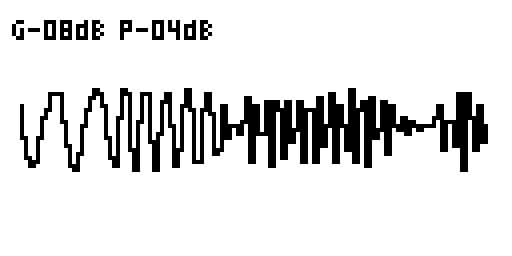
SCOPE OSC with G/P HUD (unit).
Full-screen track audio on the LCD: OSC (mono polyline), XY
(L×R Lissajous), or ALL (4×2 mini OSC. T1-T4 left, T5-T8 right,
centre divider. T1 top-left, same layout as the track pads). Gain /
peak HUD and a clip ! sit on OSC and XY.
[DOWN] + [TEMPO] opens SCOPE ([UP] + [TEMPO] opens
TUNER).
[UP] / [DOWN] cycle the three modes. A GAIN, B TIME.
[CUE] release toggles the G/P HUD on OSC / XY (ALL has none).
Push A resets GAIN and clears the peak.
Opening SCOPE does not lengthen the short silence when an effect loads.
Screen reference
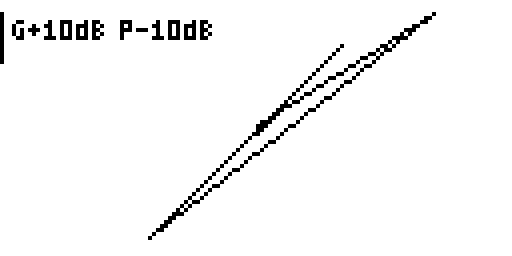
SCOPE XY (L×R Lissajous) with G/P HUD (unit).
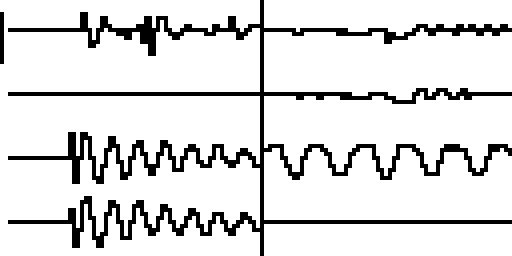
SCOPE ALL: 4×2 mini OSC grid T1–T8 (unit).
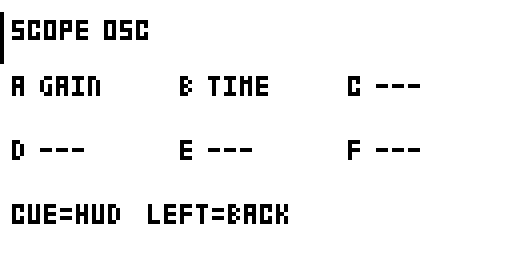
RIGHT help: A GAIN, B TIME; CUE=HUD, LEFT=BACK.
Display behaviour
Shots: OSC / XY / ALL from the unit (SCREEN + screendump, inverted black-on-white); RIGHT help from the emulator live_shots script.